
Apple will soon be able to control a lot more things in your home
Apple’s HomeKit program will allow homeowners to perform plenty of functions, from dimming lights to arming security systems.
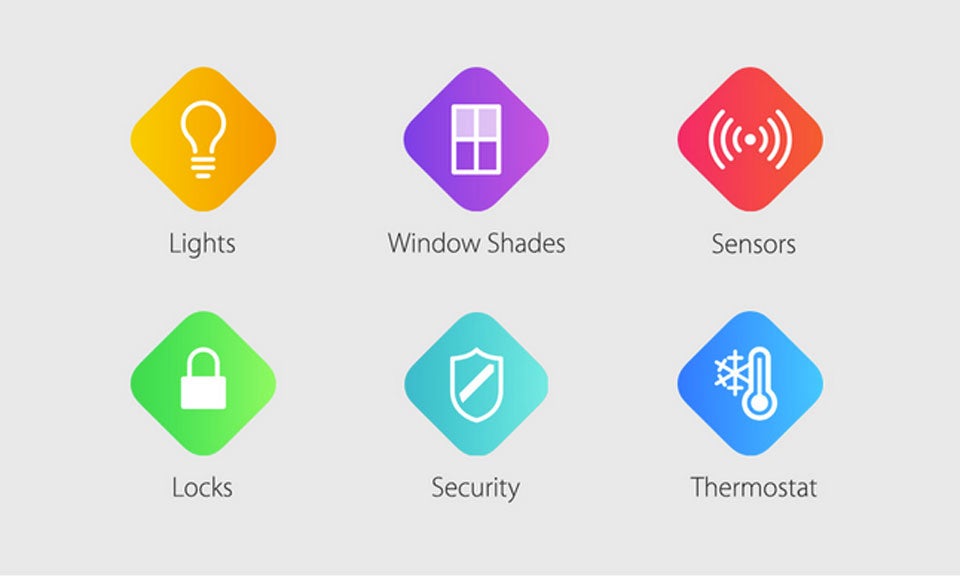
Homeowners with Apple’s smart home program will soon be able to perform a lot more functions from their iPhones, iPads, and Apple Watches while they are out of the house.
At the Worldwide Developers Conference (WWDC) in San Francisco earlier this week, Apple announced its smart home program, HomeKit, will soon be able to perform a number of new operations, including arming and disarming security systems, motion detectors, carbon monoxide monitors, and window shades.
Homeowners will also be able to control many of these functions remotely by connecting to the iCloud.
The current version of HomeKit only allows users to operate basic functions like turning lights on and off and needs to be connected to Apple TV.
[fragment number=0]
HomeKit is Apple’s smart home platform, which was first announced at last year’s WWDC. The program offers a framework for manufacturers to develop smart home products that can interact with Apple devices. Products that are built for HomeKit can be controlled by the iPhones, iPads, and third-party apps.
Users can also operate HomeKit by telling Siri, Apple’s personal assistant program, to do things like reduce a home’s temperature or turn off the lights.
According to MacRumors, several companies, including Lutron, iHome and Elgato, have announced several products that will work with HomeKit. For example, iHome’s iSP5 SmartPlug is a device that fits into a standard electric wall socket. Users can control devices connected through the SmartPlug, including lamps, fans, and other appliances, all via Siri or the iHome Control app.
Lutron’s Caséta Wireless dimmer kit can be used with Siri to dim lights in one specific part of a house. For example, a user can ask Siri to check if the lights are still on in the basement and turn them off on command.
Users with the Apple Watch will also be able to control HomeKit devices by using Siri.




To comment, please create a screen name in your profile
To comment, please verify your email address
Conversation
This discussion has ended. Please join elsewhere on Boston.com