
How to tame that tangle of cords
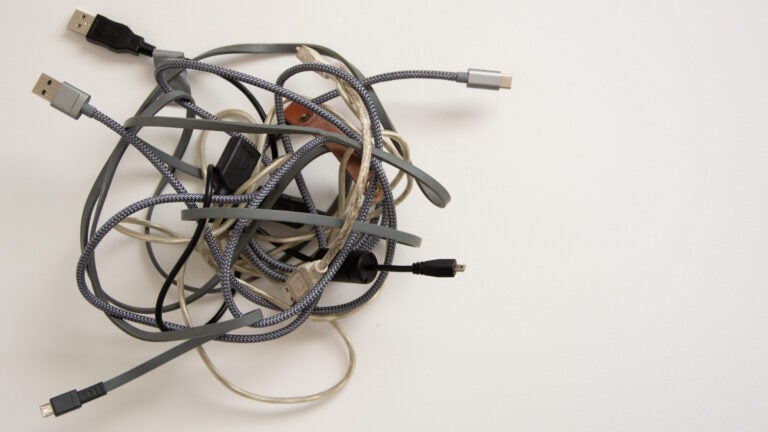
If wires and cords twist around your house like a jungle, your power strips seem to reproduce themselves overnight, and you have a box of unidentified wires in your closet, you’re not alone. Cords that twist behind your desk, dangle from your TV, and clutter your kitchen counter may be an irritant, but they can also become a tripping risk and possibly a fire hazard if you’re overusing extension cords.
A costly option is to hire an electrician to add extra electrical sockets. Nancy Patsios, owner of the organization company Sort It Out Boston, recommends hiding your electrical cords behind walls when possible.
If you prefer not to cut holes in your walls or hire help, there are multiple do-it-yourself ways to control your cords, beginning with sorting them.
“When you buy a new gadget that comes with a charger, immediately mark all parts with painter’s tape and a Sharpie,” said Deb Bernier, co-owner of ShipShape Organize Boston. “For a more professional look, use a label maker. You’ll save yourself a lot of frustration and possibly expense replacing a charger later. And, when you no longer have the device, you can rest easy knowing you’re discarding a cord that is no longer functional.”
While that’s good advice to get ahead of the cord challenge, there are also ways to manage the mess you may already face.
“Start by unplugging all of your cables and matching them to a device,” said Sarah Buckwalter, a certified professional organizer and founder of Organizing Boston. “You may have some cables that are no longer needed. Take it one space at a time to prevent a giant tangle of cords. Once you’ve done this, you can start cable-taming.”
Four ways to control your cords
Methods that keep your wires and cords manageable include:
Corralling them. Bundle your cords together with cable ties, Velcro strips, or twist ties, or buy a “cable zipper,” Buckwalter recommended.
“Often there are solutions that are so simple, so you don’t necessarily need to purchase costly organizing solutions,” said Deb Stone, co-owner of ShipShape Organize Boston. “We’ve used pipe cleaners and zip ties behind desks to corral the numerous lamp, printer, computer, and landline phone cords that can become overwhelming.”
Patsios suggests cord clips with an adhesive backing to keep individual cords organized.
One more option, Buckwalter said, is to bundle cords into a tube made from a toilet paper or paper towel roll or even a pool noodle cut to size.
Hiding them. Cable boxes and cable management sleeves can be used when a cardboard tube or a pipe cleaner would be visible. At your desk, Buckwalter suggested, attach a wire basket to the wall or the back of the desk to hide cords.
“You may need to drill a hole, but you can place a power strip inside your furniture or cabinets to conceal wires while maintaining access,” Patsios said.
Mounting a TV to a wall creates a special challenge, which Bernier said can be solved with a cable concealer kit from Amazon. The strip can be painted to match the color of your wall, so it blends in and you’re looking at a simple strip rather than a cluster of cords.
Attach them. Binder clips can be the magic solution to prevent your phone or laptop charger from falling off your desk, Buckwalter said. Just run the plug through the wire clamp and then attach the clip to the back of the desk. An adhesive or magnetic cable clip can provide the same function.
Label them. If you didn’t label everything when it was new, it’s not too late. Some labeling options include cord clips, electrical tape, painter’s tape, or a label maker. Or you can mark a bread tag and clip it to the end of the cord, Patsios said.
“Labeling makes it easier when you’re plugging and unplugging cords in a power strip and when several people in your home have the same charger,” Buckwalter said.
Subscribe to the Globe’s free real estate newsletter — our weekly digest on buying, selling, and design — at pages.email.bostonglobe.com/AddressSignUp. Follow us on Facebook, Instagram, and Twitter @globehomes.





To comment, please create a screen name in your profile
To comment, please verify your email address
Conversation
This discussion has ended. Please join elsewhere on Boston.com