
Missing the city? Here are 10 stunning Zoom backgrounds of Boston
Bring the Boston skyline to your next virtual meeting.
Chances are you’re already familiar with Zoom — and at least heard about its virtual background feature. The video conferencing platform allows users to upload a customized background for when you want to shake things up, or if you just don’t want co-workers peeping while you work from home.
Related Links
If you miss the Boston skyline along the waterfront, the glow of the Citgo sign at night, or the Make Way for Ducklings statues in the Public Garden, you can bring the city to your next virtual meeting.
Ahead, we share ten backgrounds from photographers who have been featured on Boston.com’s Instagram that you can download for free.
Instructions: Click the download link below each image. Open Zoom setting preferences and select “Virtual Background.” Select the ‘+’ to upload your saved background.

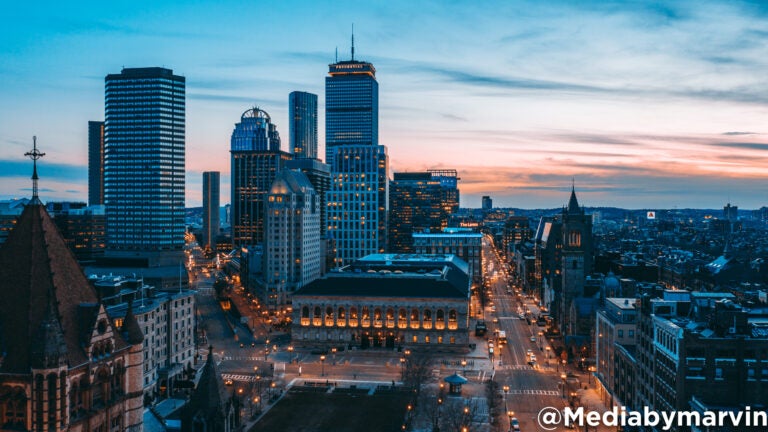
Copley Square.

Boston skyline and the Charles River from Cambridge.

Boston Harbor.

The Make Way for Ducklings statues dressed for Easter in the Boston Public Garden.

Boston skyline from the harbor.

The Citgo sign in front of Boston city skyline.

The Longfellow Bridge and Boston’s skyline from the Charles River.

Boston’s skyline at night.

An aerial view of the downtown Boston skyline, as seen from above the harbor.

The Boston downtown skyline as seen from across the harbor.
Did you take a photo of Boston that would make for a great virtual background? Send your name and photo to [email protected]. We may feature it in an upcoming Boston.com article.






To comment, please create a screen name in your profile
To comment, please verify your email address
Conversation
This discussion has ended. Please join elsewhere on Boston.com