
First car to offer Google’s infotainment software revealed
The in-car infotainment system is now available in the 2015 Hyundai Sonata.
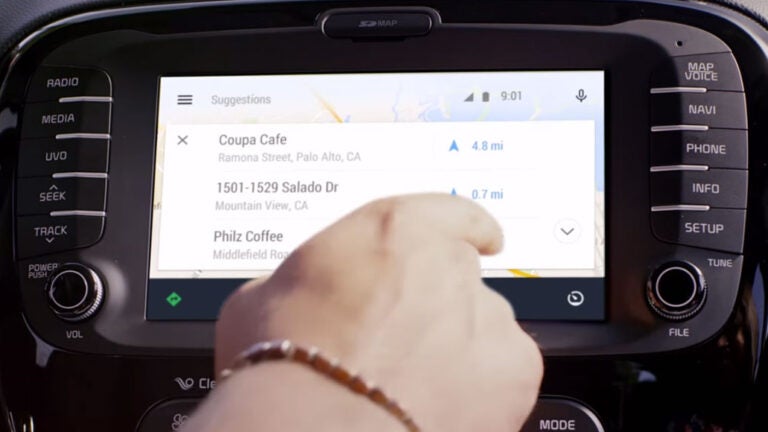
Hyundai became the first automaker to equip new cars with Android Auto, Google’s in-car infotainment system Tuesday. The product is available in the 2015 Hyundai Sonata if drivers buy a $4,100 navigation system as part of their “tech package.’’
The infotainment system has been available since March, but only on dashboard units installed by a third party manufacturer like Pioneer. Hyundai is the first carmaker to actually put the Android Auto software in cars on dealer lots.
Drivers who already own a 2015 Sonata with a navigation system can go to a dealer and have the Android software installed free of charge, according to a Hyundai press release.
Android Auto features Google voice control and works with the Sonata’s buttons or touchscreen, so drivers can keep their eyes on the road while sending text messages, choosing music, checking their calendars, or finding directions. To set it up, drivers plug their Android 5.0 Lollipop smartphone (or later device) into the car’s USB port and select ‘Android Auto’ on the car’s center screen.
[fragment number=0]
According to JD Power, infotainment systems made by car companies are the source of more customer complaints than any other part of the car.
Google’s Android Auto is reportedly much better.
Wired described the system as “remarkable for its simplicity and flexibility,’’ noting only a few minor bugs. It navigated the driver around San Francisco and helped him find a bahn mi sandwich using voice recognition.
Though Hyundai is the first, other carmakers including Bentley, Audi, Acura, Dodge, Chevrolet, and many more will soon be offering the system in new vehicles.
Google created Android Auto in June 2014, shortly after Apple started offering CarPlay, its own infotainment system compatible with iOS devices.




To comment, please create a screen name in your profile
To comment, please verify your email address
Conversation
This discussion has ended. Please join elsewhere on Boston.com